


Spherical Regions
Motive
For AI based decision making, such as enemies navigating a dungeon, it is quite common to use distance checks. Since distance alone is quite limiting, many developers choose to use Unity's physics system (allows for in-editor positioning, which is more practical than script only checks which are not flexible to modification.)
While Unity's physics system is a powerful tool, it can also be computationally expensive, especially for frequent yet simple checks used in behaviour trees.
For situations where using physics checks would be excessive and affect performance, yet greater control than a distance check is needed, I created a custom editor/runtime script.
Much like colliders, the 'regions' I am creating should be setup in runtime and relative to the parent object.
This system is not meant to replace Unity physics, but allow frequent querying such as within behaviour trees. Similarly, a simple physics collider could contain a 'spherical region' component to allow further querying on impact.
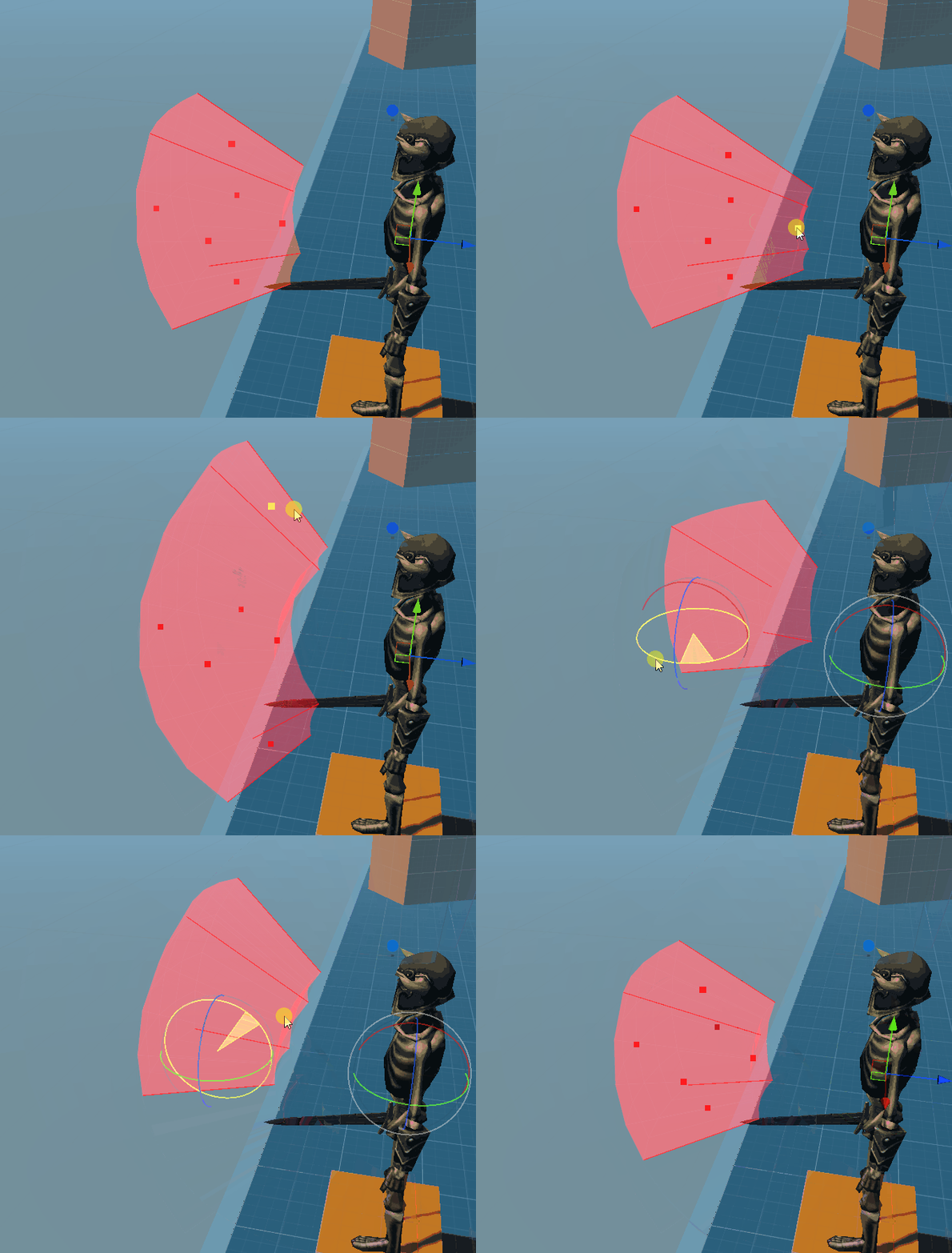
The regions are only visible in the editor*

The regions can be modified during runtime, this allows flexibility, such that an attacks range can extend.
How is this achieved
Spherical Regions makes use of Unity Handles, editor capabilities include:
-
Rotation handles per region (Toggleable)
-
min/max range handles
-
x angle and y angle handles.
-
Colour & name, for better clarification on a regions purpose
-
Undo
-
Drawing regions with 'Handles.DrawAAConvexPolygon'

Example use case

Here we can see how two regions can be queried together to determine if the skeleton should be able to see a point. While raycasts/physics should be kept to a minimum, combining multiple regions has a negligible effect on performance; which is desirable for frequent checks such as AI.

Simple example of combining two regions to conveniently determine one 'within' check.
(_vision & _blockedVision refer to Regions)
Editor
The editor allows convenient editing in scene view, from Undoing changes to easily modifying the angle or rotation of a region.
What's next?
Smart referencing of regions.
Regions are not unique components, this poses the problem of referencing them. While the containing component can be referenced, followed by an index. This poses issues:
-
index alone can be inconvenient to identify a region in a meaningful way. (seeing just '3' does not help distinguish what is being linked to)
-
Modifying the Regions on Spherical Regions component could lose references, or even more confusingly reference an undesired region.
-
Problems 1 & 2 combined could result in developers querying an incorrect region, and getting confusing results.
-
Changes to Spherical Regions can require updating referencing objects.
-
Region sub-types
Spherical based regions are ideal for most local space queries, however a greater variety along with more traditional collider shapes is better. This would allow greater flexibility while letting developers use the same workflow/components.
Per region spaces
This would be for convenience, allowing each region to choose a different local space, such as the head, or arm. It's already possible by using multiple spherical regions components, however this flexibility would allow easier querying.
Alternatively, keeping each 'space' to use it's own component instance could be kept, instead favouring more convenient querying of multiple spherical regions